Case study · Velocity Global (now Pebl)
Invoice Generation
An invoice generation experience that centralizes invoicing data and simplifies how Client Finance tracks and validates invoices at an Employer of Record company.
- Users
- Internal Client Finance team
- My role
- Product Designer, discovery to hand-off
- Systems
- Global Workforce Platform, new invoice service, NetSuite
- Research
- 7 discovery interviews, 6 usability tests
- Who is it for?
- Client Finance, an internal team at Velocity Global that generates and approves invoices for client companies using Velocity Global as their employer of record. (An employer of record is a third party that is legally responsible for another organization’s employees.)
- What’s the goal?
- Reduce the manual intervention Client Finance needs for invoice generation, increase invoice data accuracy, and centralize and standardize the data and workflows they use.
- What’s the need?
- The original invoicing code was outdated and hard to change, which led to errors and manual fixes. Invoicing data was scattered across Google Sheets, which hurt scalability and made accurate information slow to find.
- What’s the solution?
- An invoice generation workflow inside the existing Global Workforce Platform that syncs to the new backend invoice service, giving one place to create, track, and validate invoices.
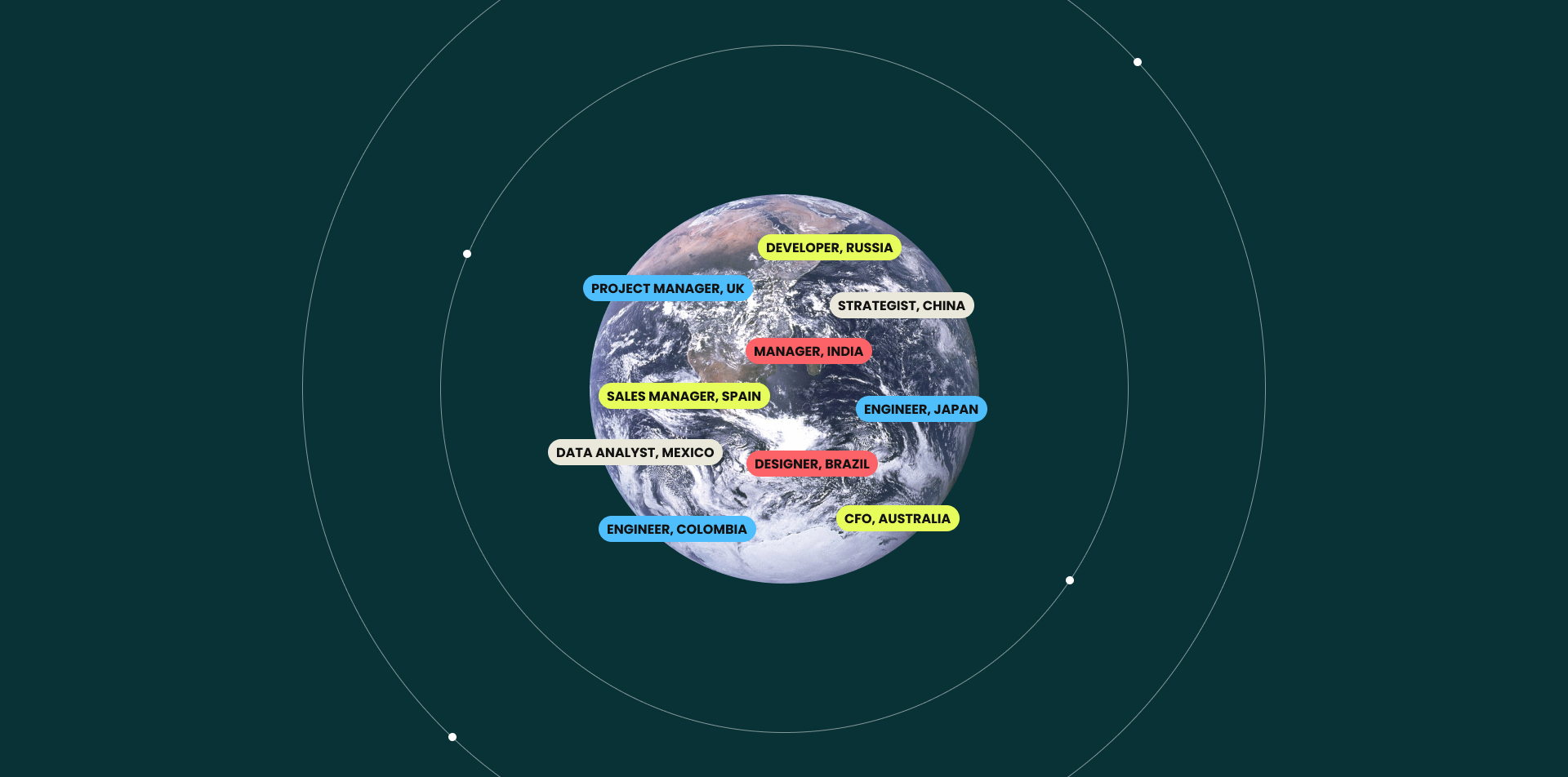
Three user types, one outdated invoicing process
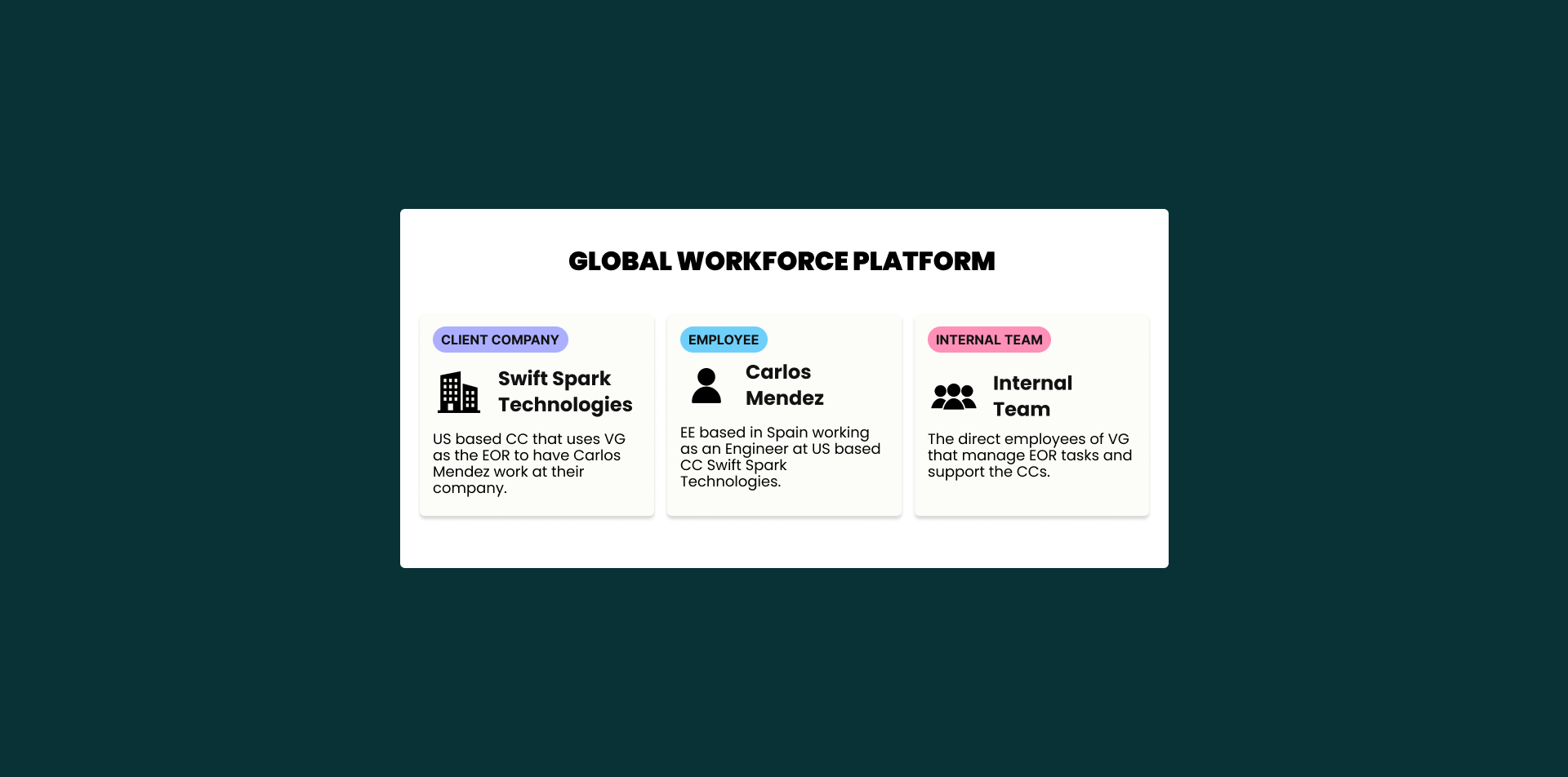
Global Workforce Platform user types
The platform has three user types. Each has different permissions and features based on their role.
- Client Company (CC): Payroll, Time Off, and Time Tracking, plus the employee profiles for their company.
- Employee (EE): Payroll, Time Off, and Time Tracking for their own employment.
- Internal team: Everything, including employee and client company profiles across all companies.
Invoice generation problem background
Since 2017, Velocity Global had used NetSuite to generate client invoices. As the company grew to thousands more employees and clients, that process couldn’t support client-specific customizations or standardized invoicing timelines. The old code caused invoice errors and time-consuming manual work for Client Finance.
To fix this, all calculations and validations would move into a new backend invoice service that feeds NetSuite. Client Finance needed a new experience in the Global Workforce Platform to start invoice generation through that service.
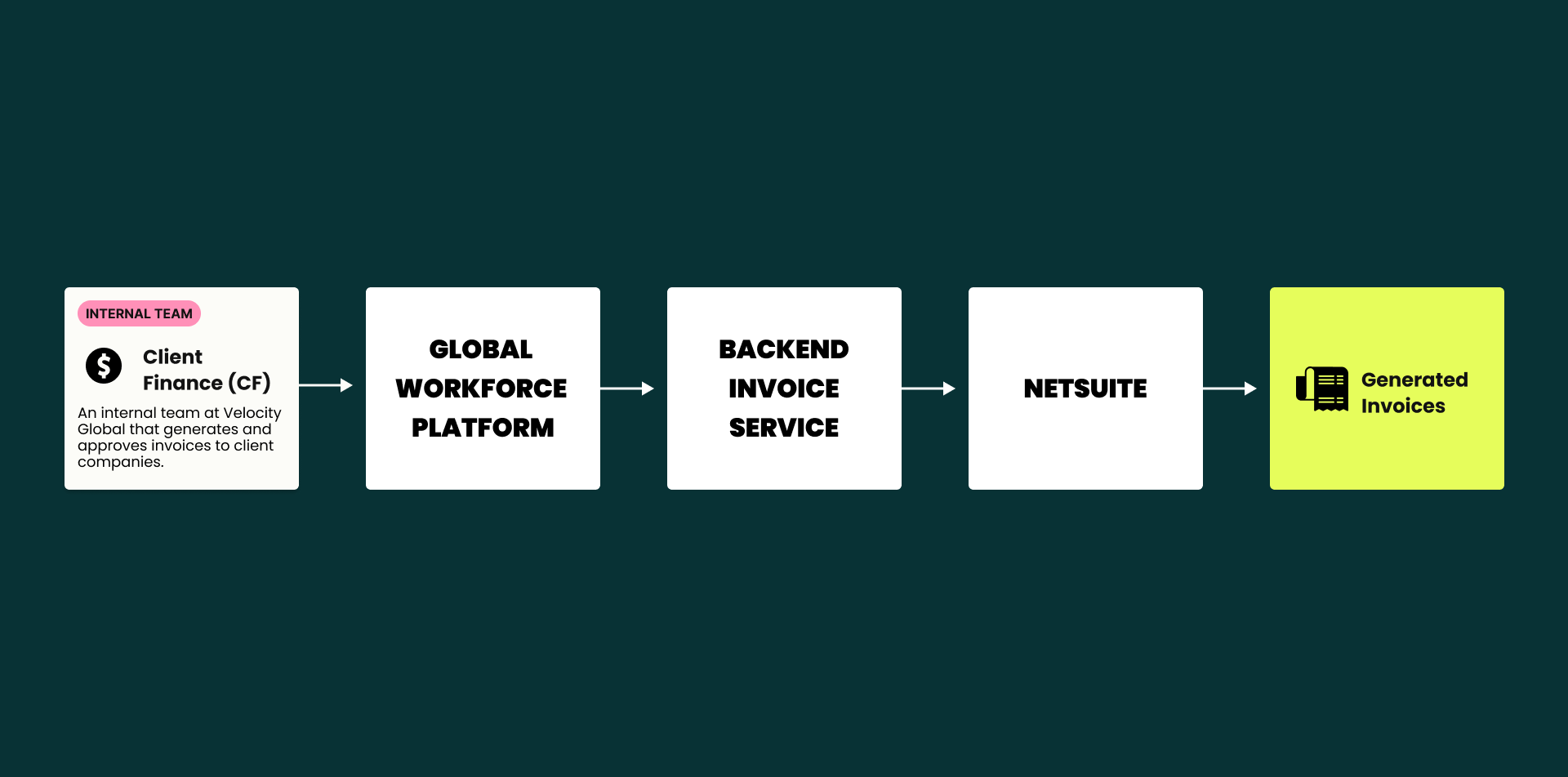
How might we design an experience in the Global Workforce Platform for Client Finance to start invoice generation in the new invoice service and NetSuite, with less manual work and more accuracy?
Success metrics for V1
Hours per month spent on manual invoicing work.
Monthly invoicing tickets from clients, against the Q2 average, in these categories:
- Currency / FX issues
- Errors in fees, value date, VAT
- Other fee issues
- Timing of invoices
Mapping a process spread across spreadsheets
Complexities in the invoicing process
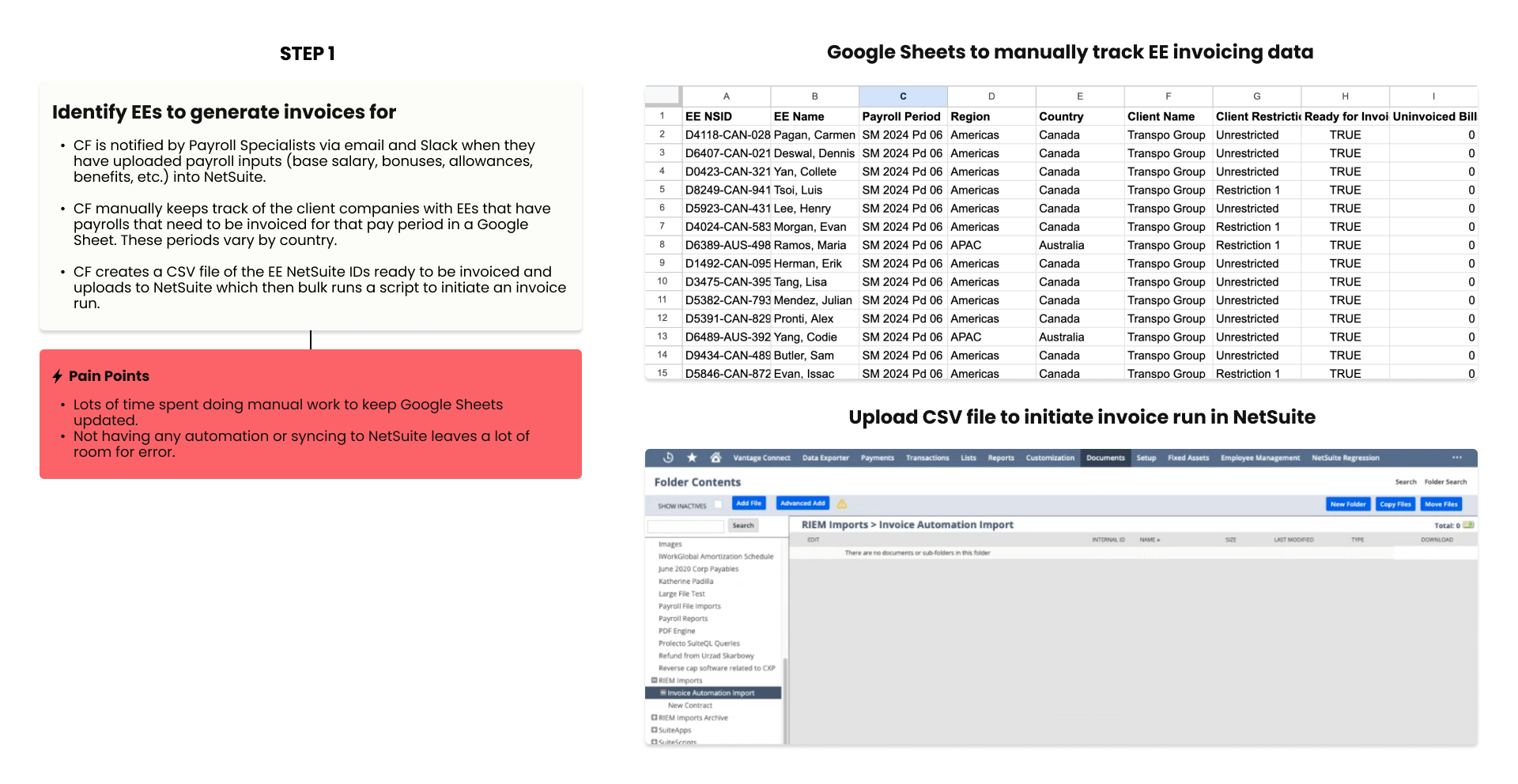
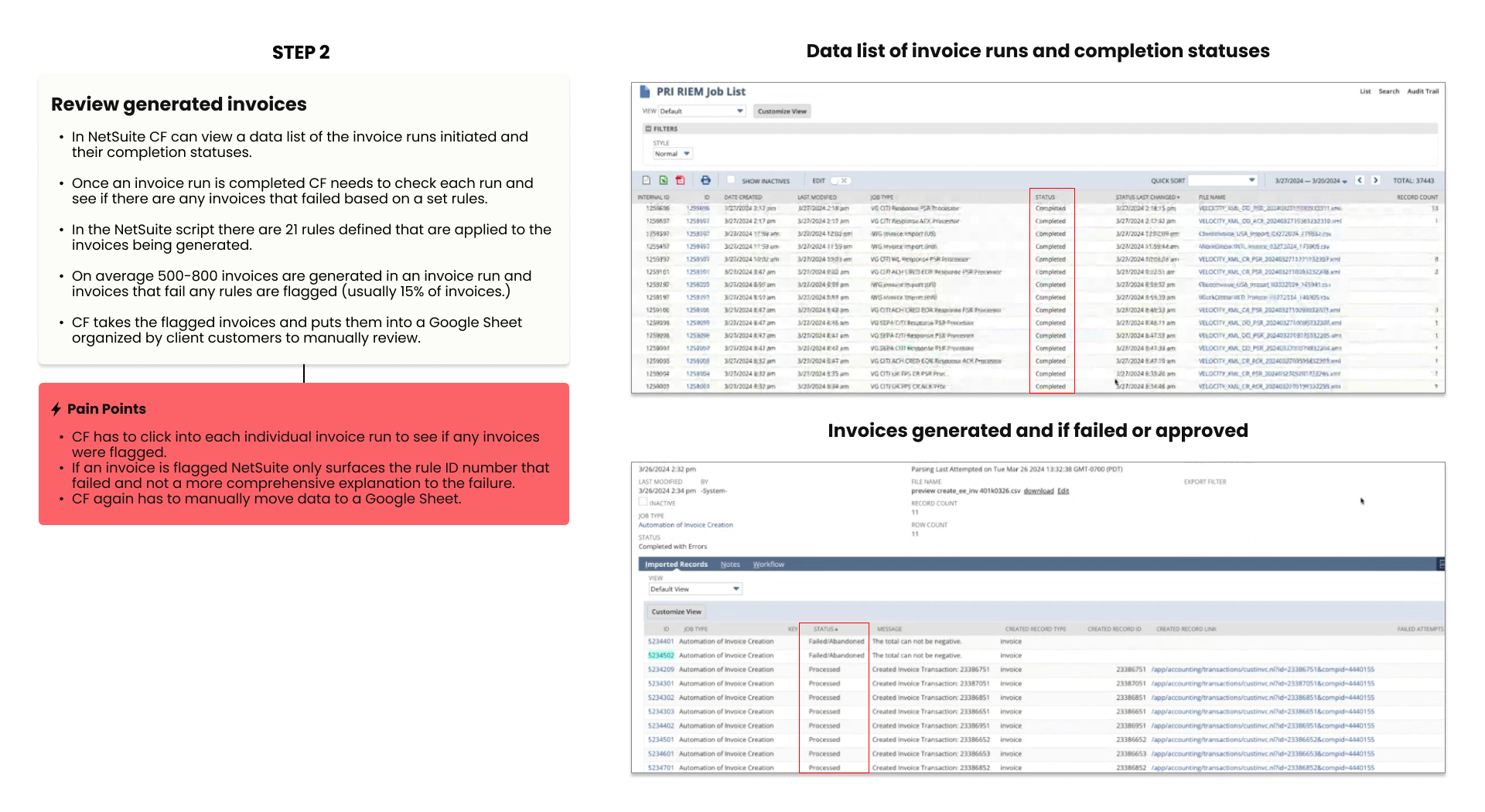
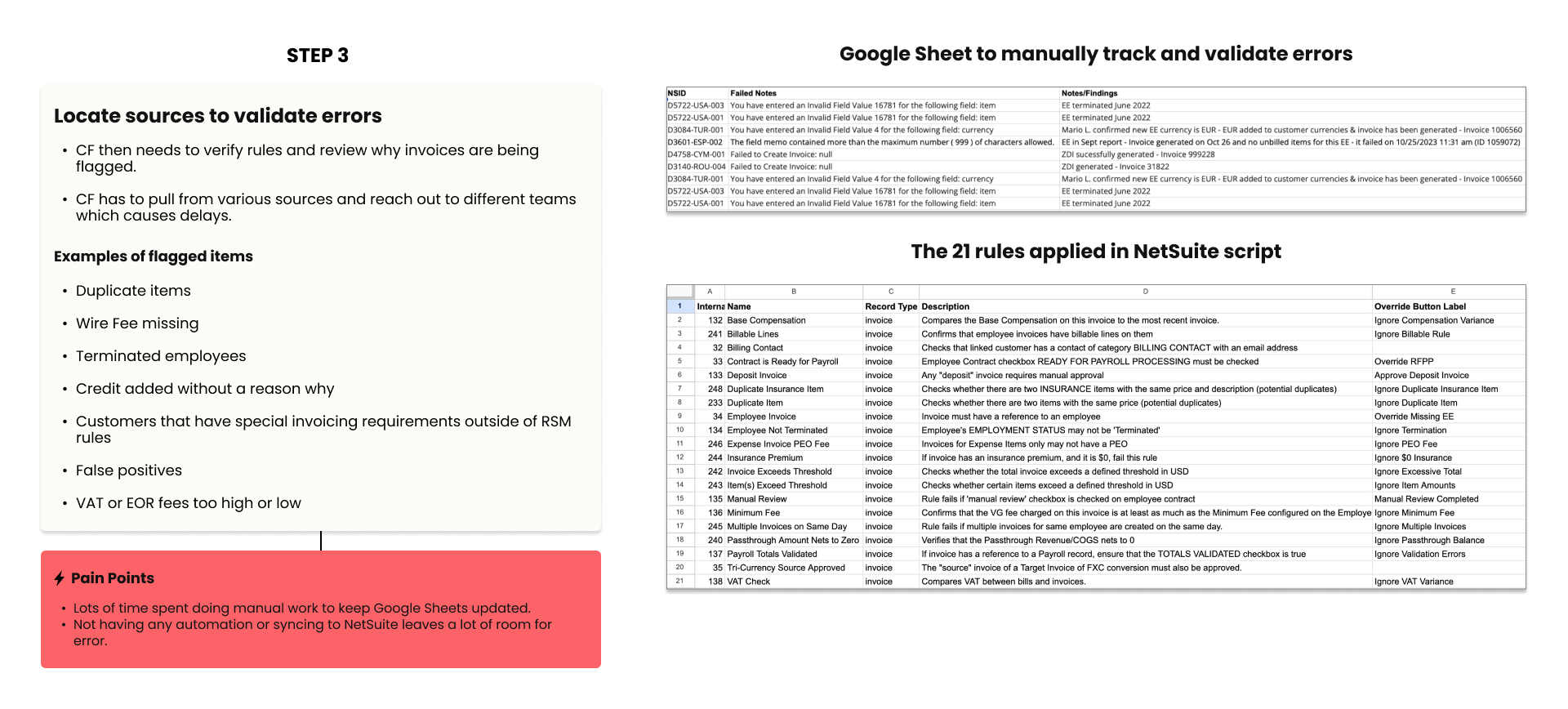
I interviewed my PM, the engineering lead, and five members of the Client Finance team to understand the current process and its pain points.
Discovery insights
Users needed one central place for invoice data that connects to NetSuite, so they could start invoice runs and simplify tracking and validation.
- Invoicing data lived in several Google Sheets, so Client Finance had to update information by hand.
- With nothing centralized or synced, the chance of errors went up.
- It was hard to see what needed validating, by whom, and how.
Design approach
Reduce manual work through the new invoice service, with an experience for Client Finance to start invoice runs and to review and approve the runs it creates.
- Connect the Global Workforce Platform to the new invoice service to start invoice generation in NetSuite.
- Automate tracking and make the process scale.
- Show failed validations on invoice plans and the reason for each failure.
Two flows: create invoice runs, then track and validate them
Create invoice run flow
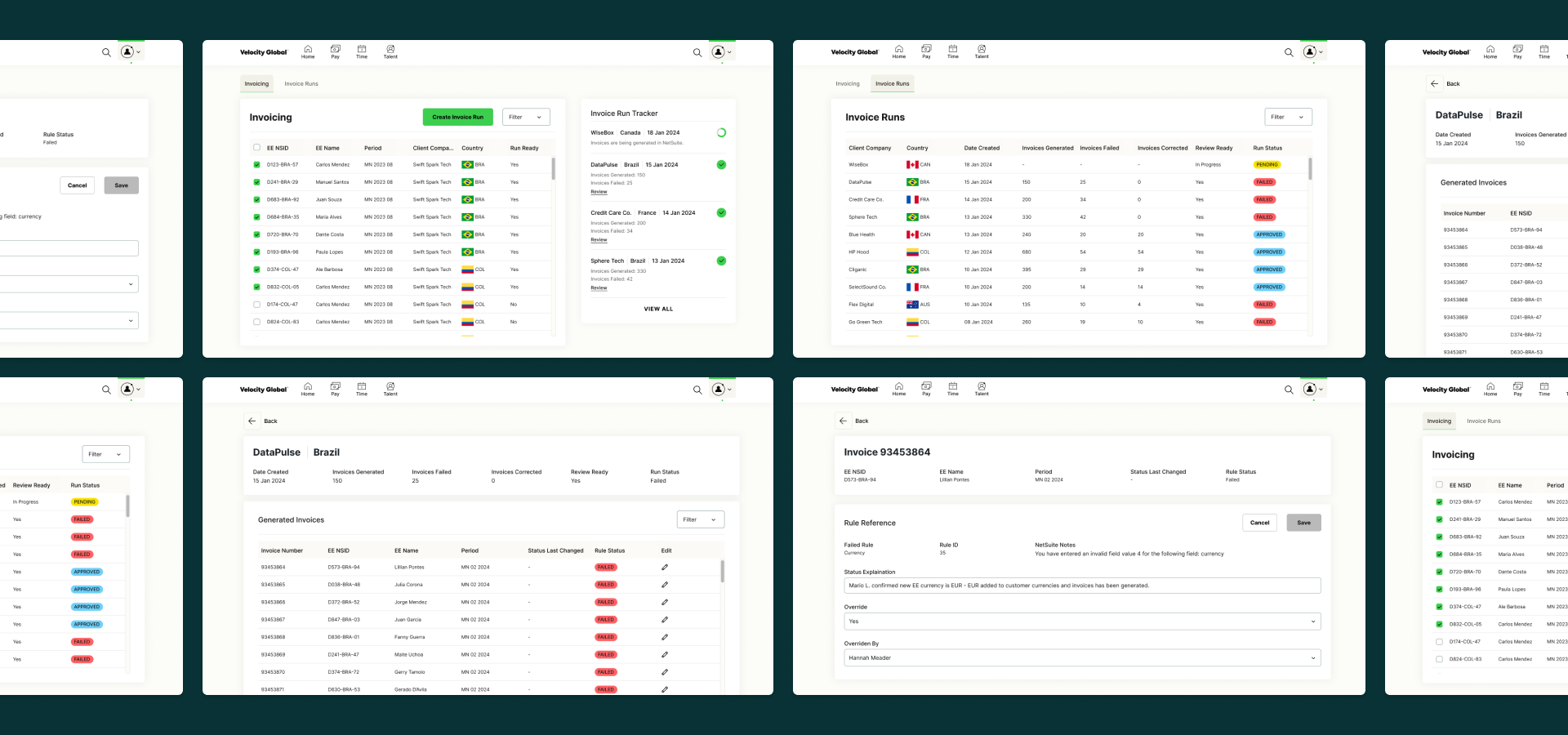
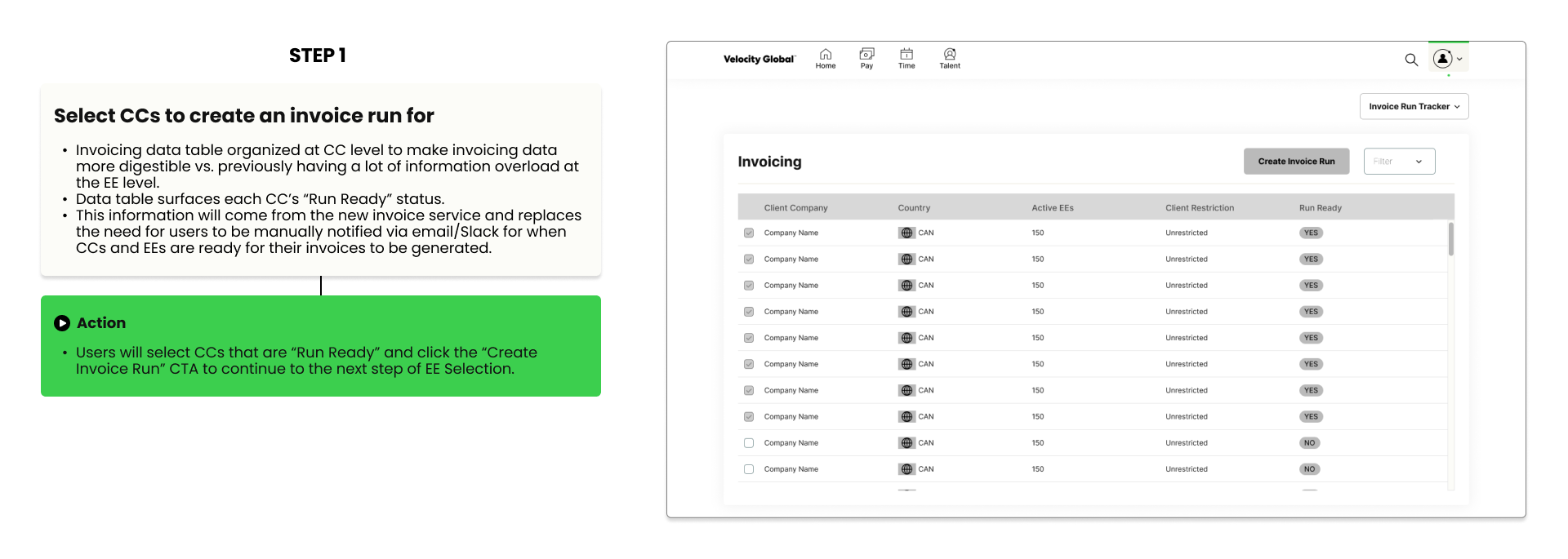
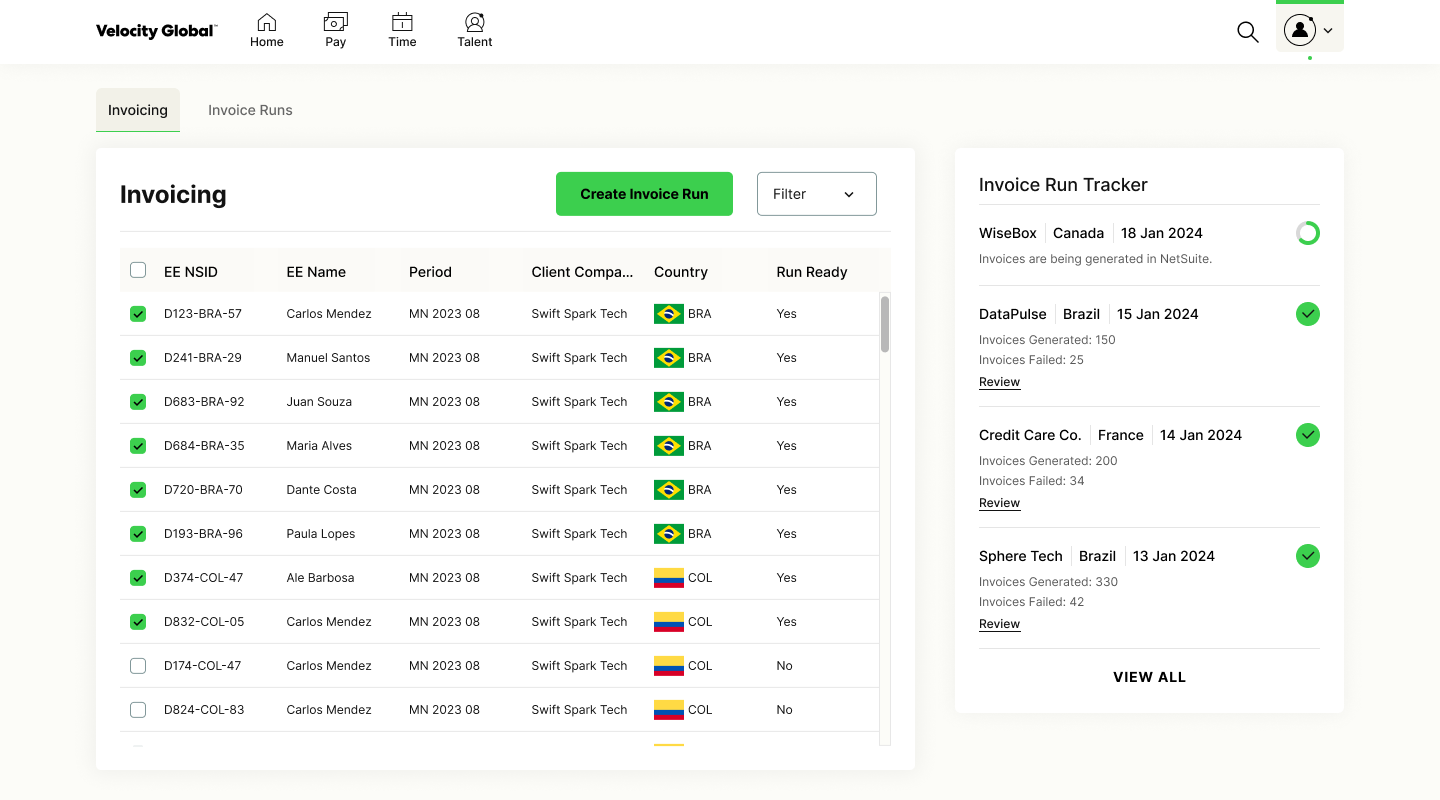
Invoicing dashboard
A new dashboard becomes the source of truth for invoicing instead of scattered spreadsheets. It also shows when each client company is ready for invoicing, which cuts down on manual status updates.
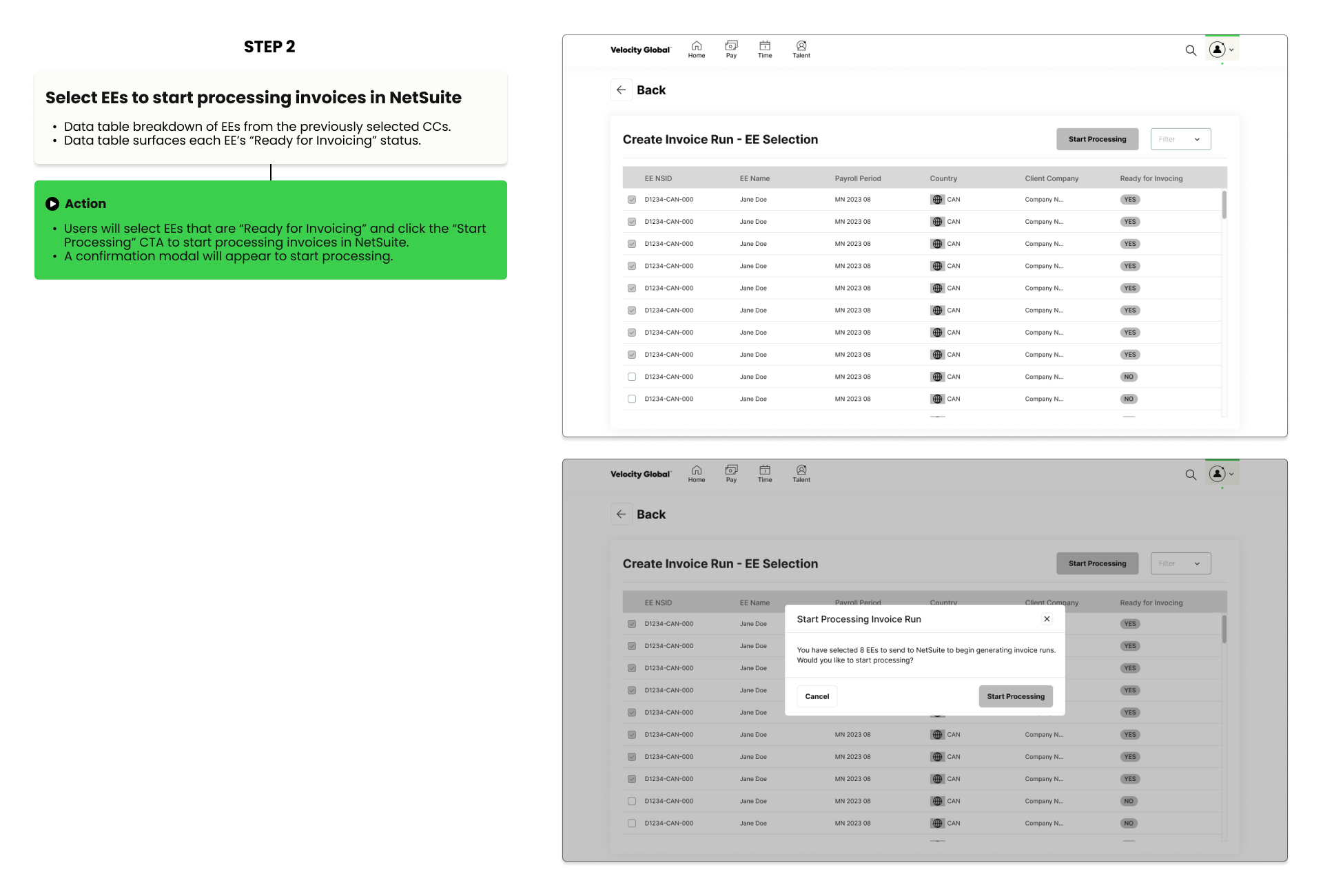
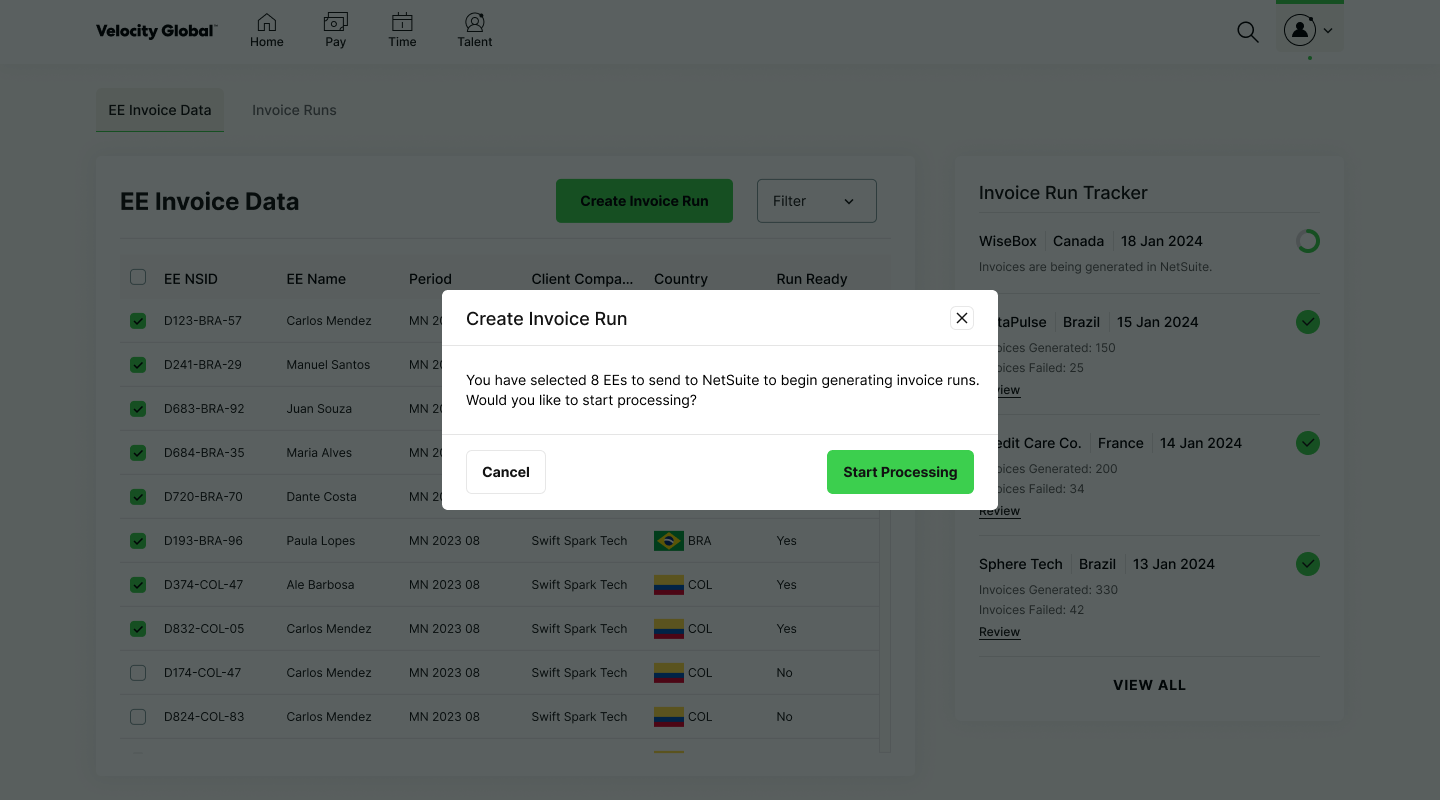
Employee selection table
After choosing “Create Invoice Run,” users select the employees whose invoices should be processed in NetSuite.
Track and validate invoice runs flow
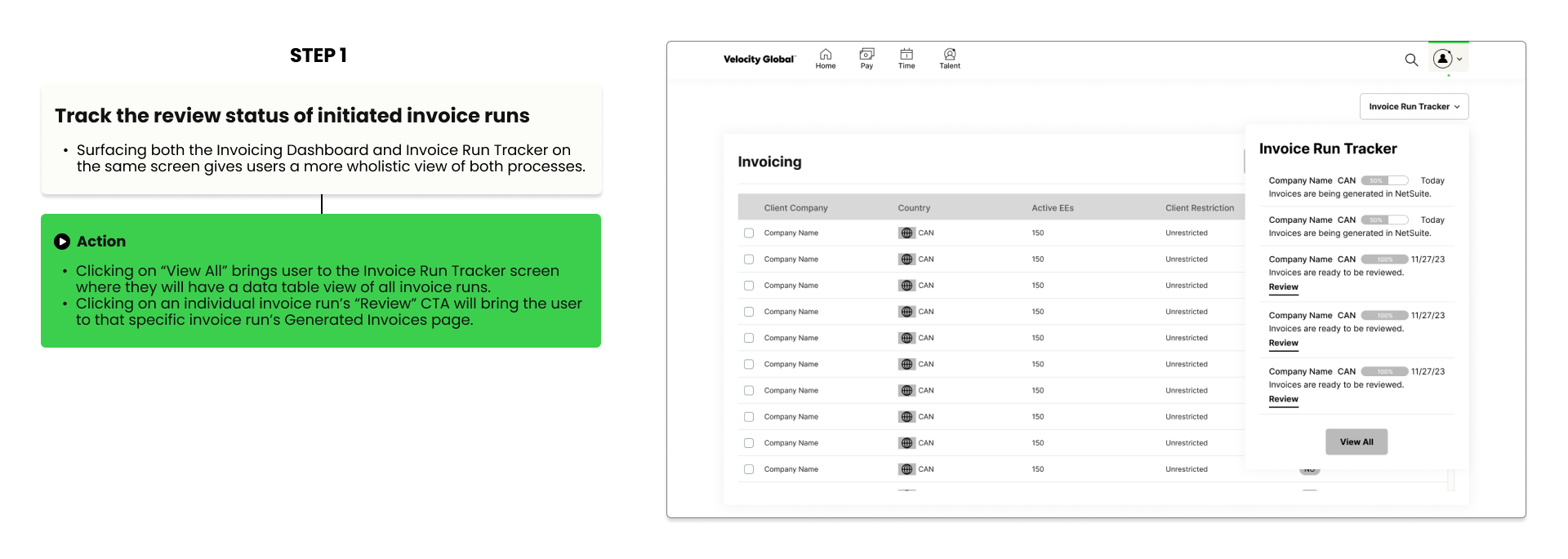
Invoice run tracker dropdown
From the dashboard, a dropdown lists started runs and shows when each is ready to review. Users no longer leave the platform to check status in NetSuite.
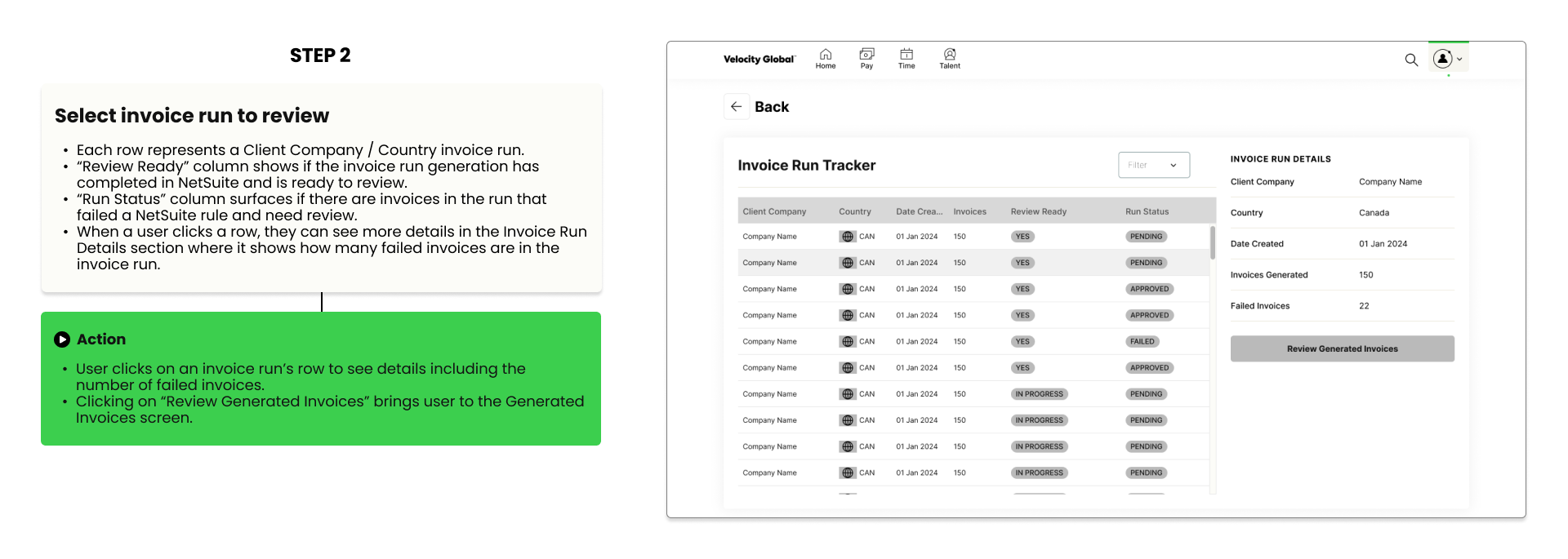
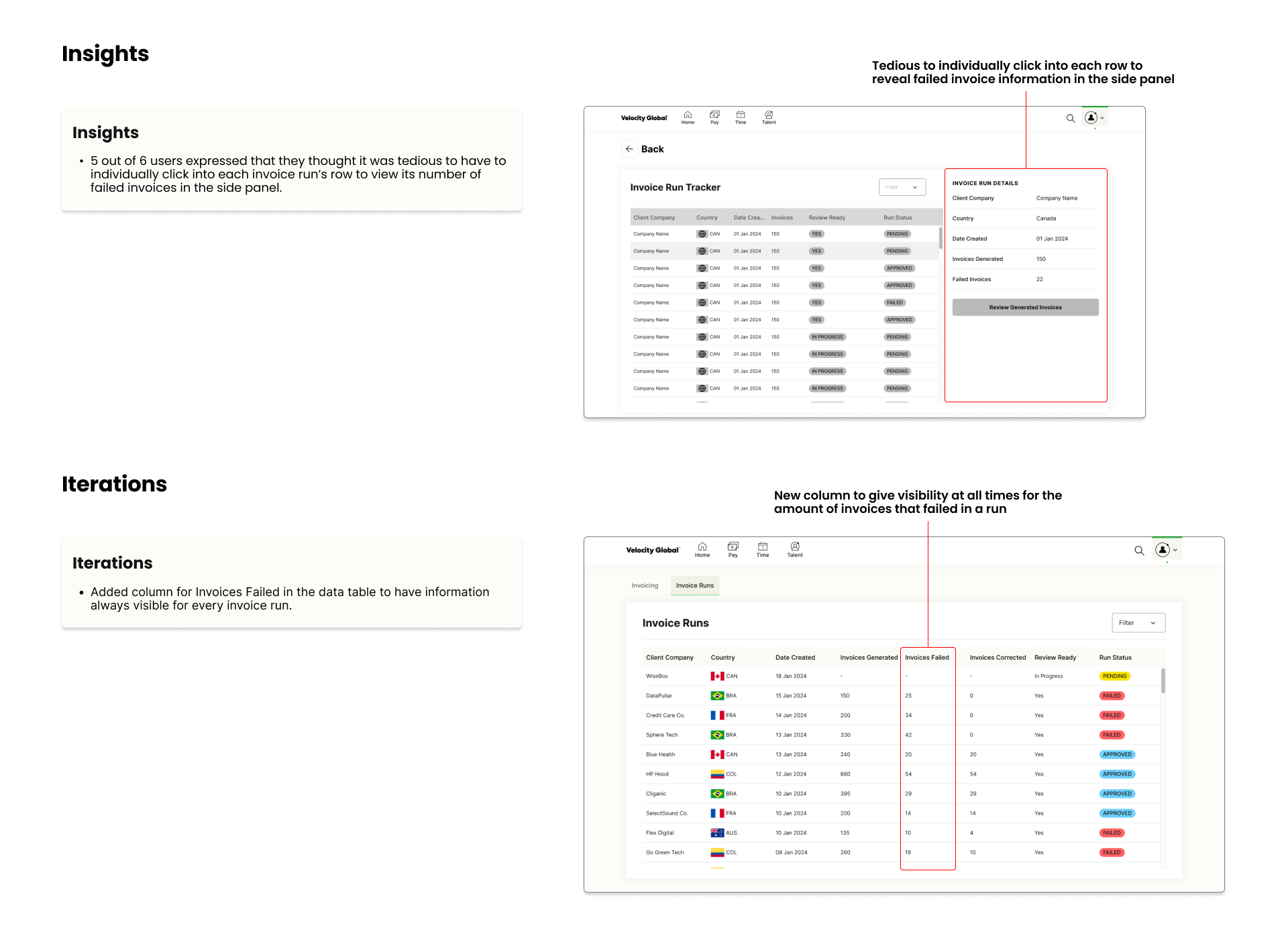
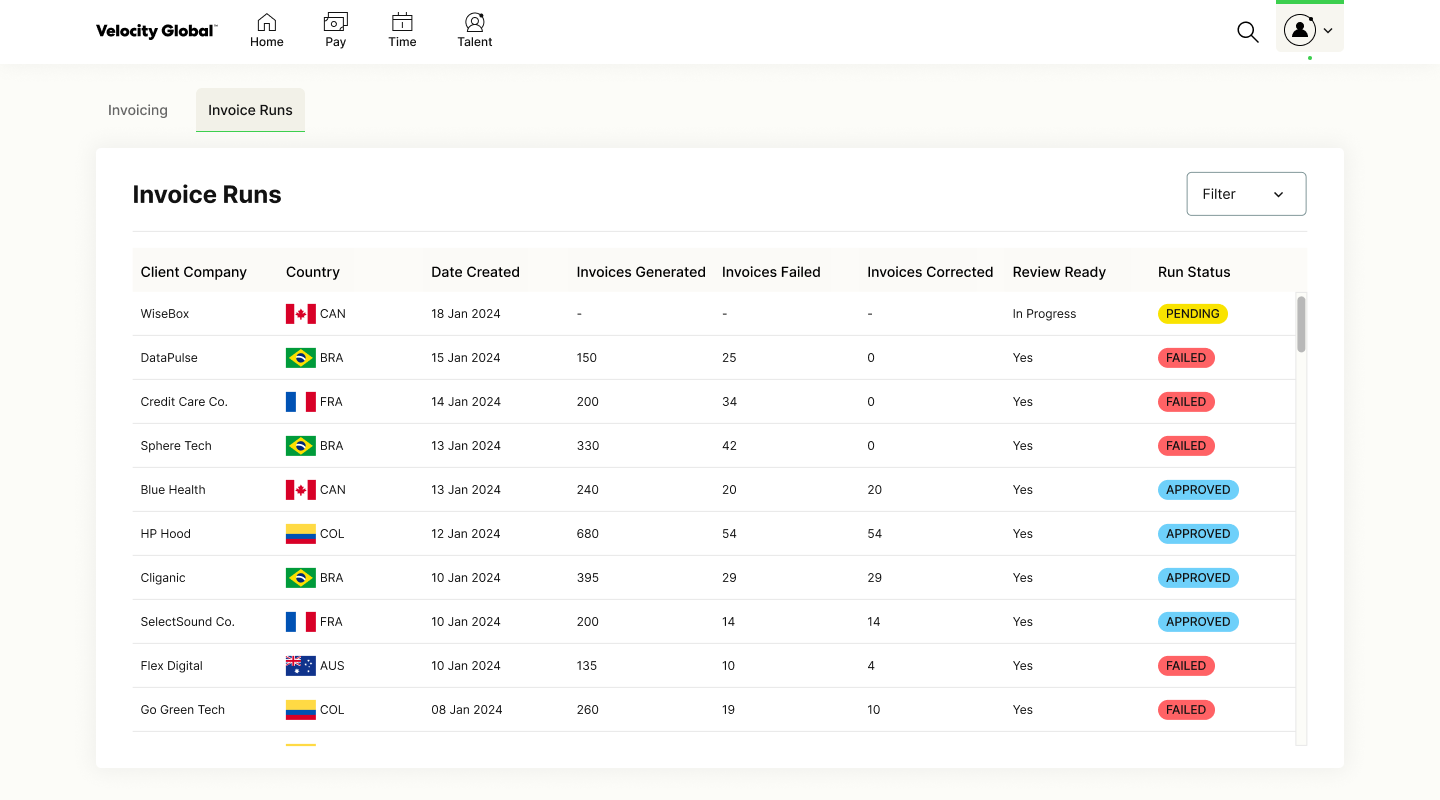
Invoice run tracker
“View All” opens a table of every invoice run and its status in one place, with fewer clicks.
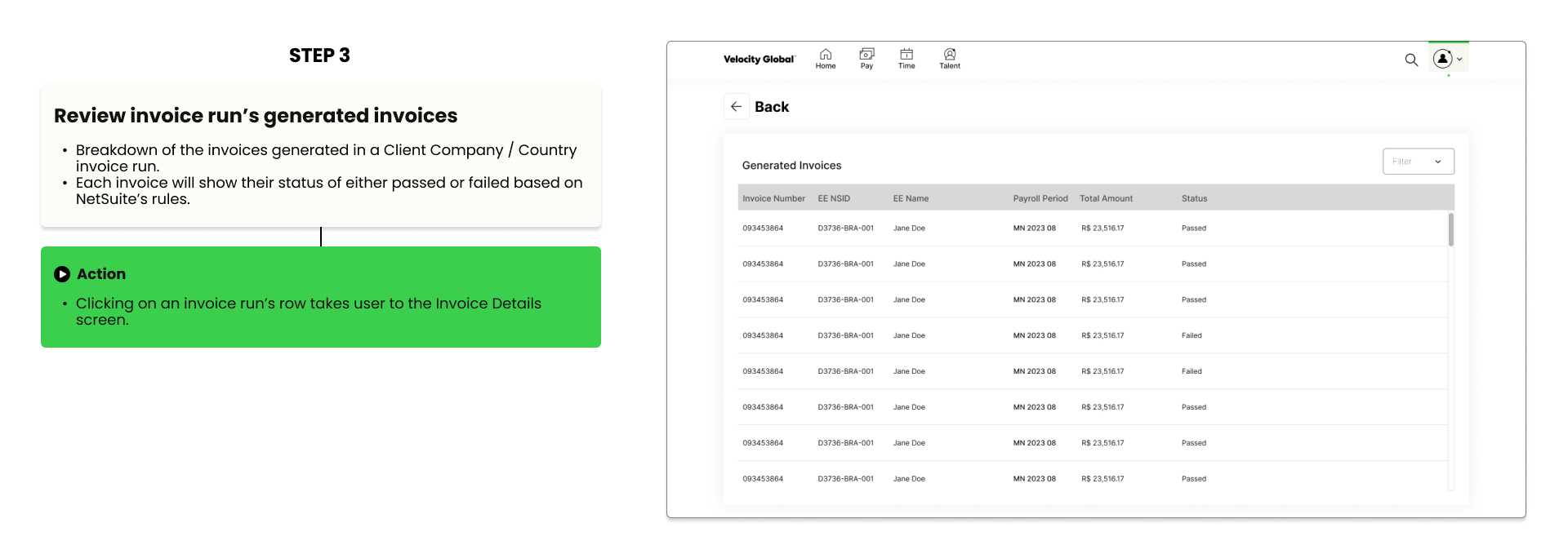
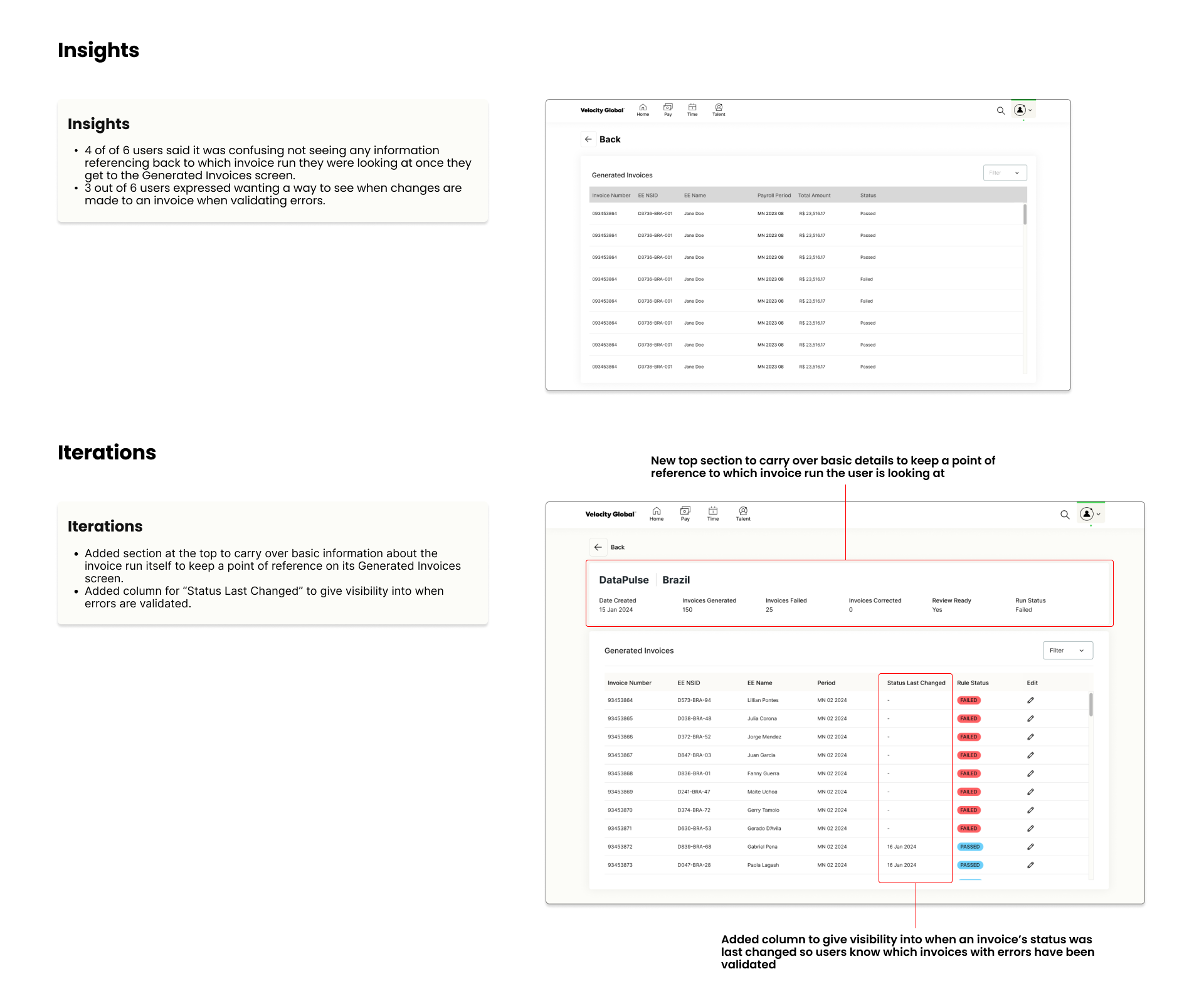
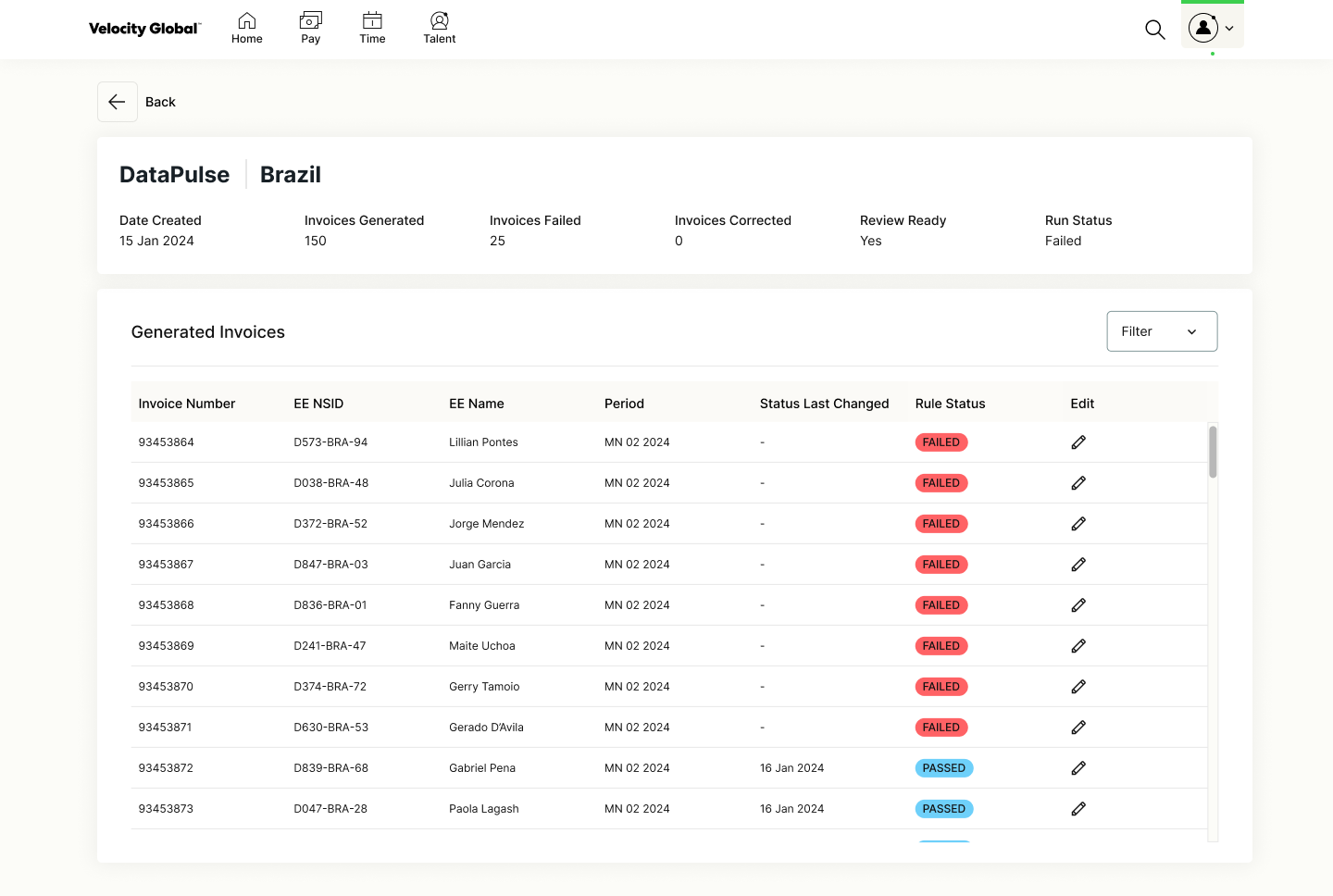
Generated invoices
“Review Generated Invoices” opens the invoices a run produced.
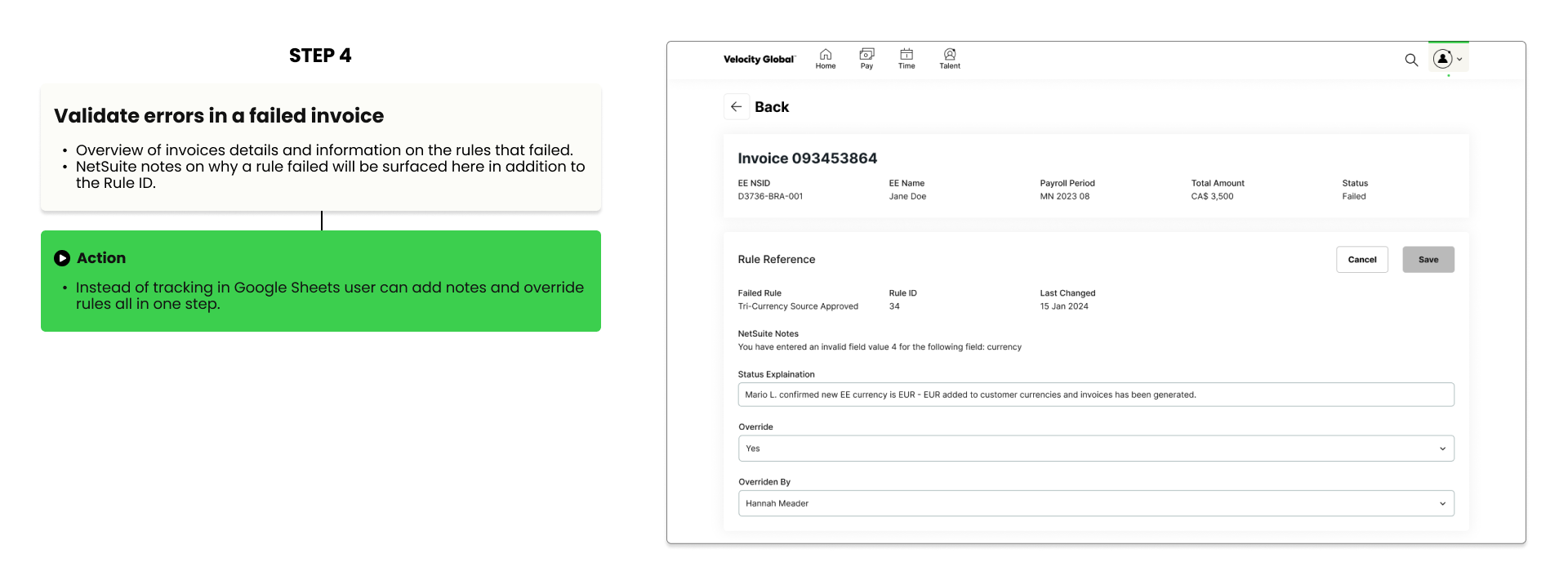
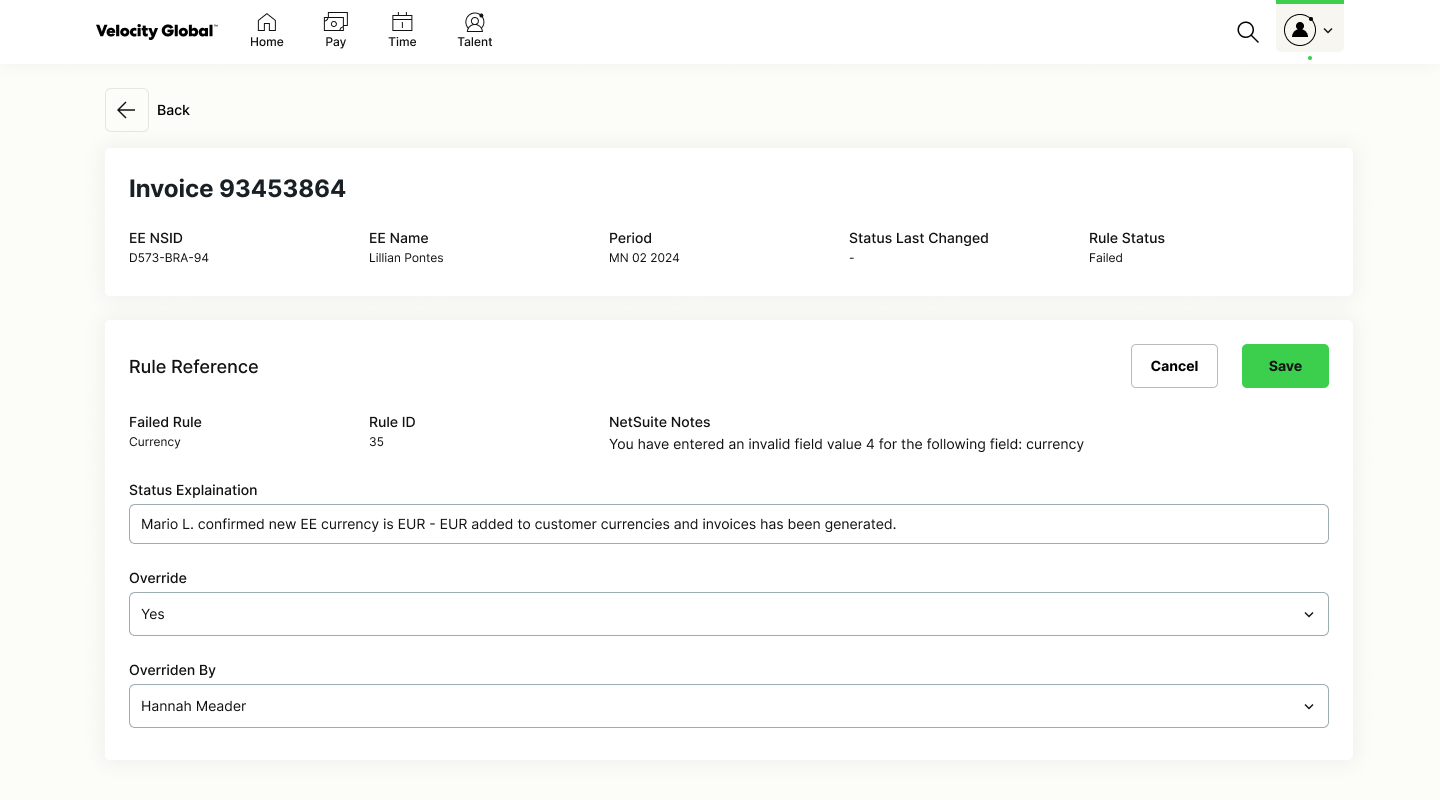
Invoice details
Each run has a details view. Failed runs no longer need tracking in a spreadsheet, and more NetSuite rule information makes errors easier to validate.
Testing with 6 Client Finance users
I ran prototype testing with six internal users on the Client Finance team and iterated on each part of the flow.
Invoicing dashboard
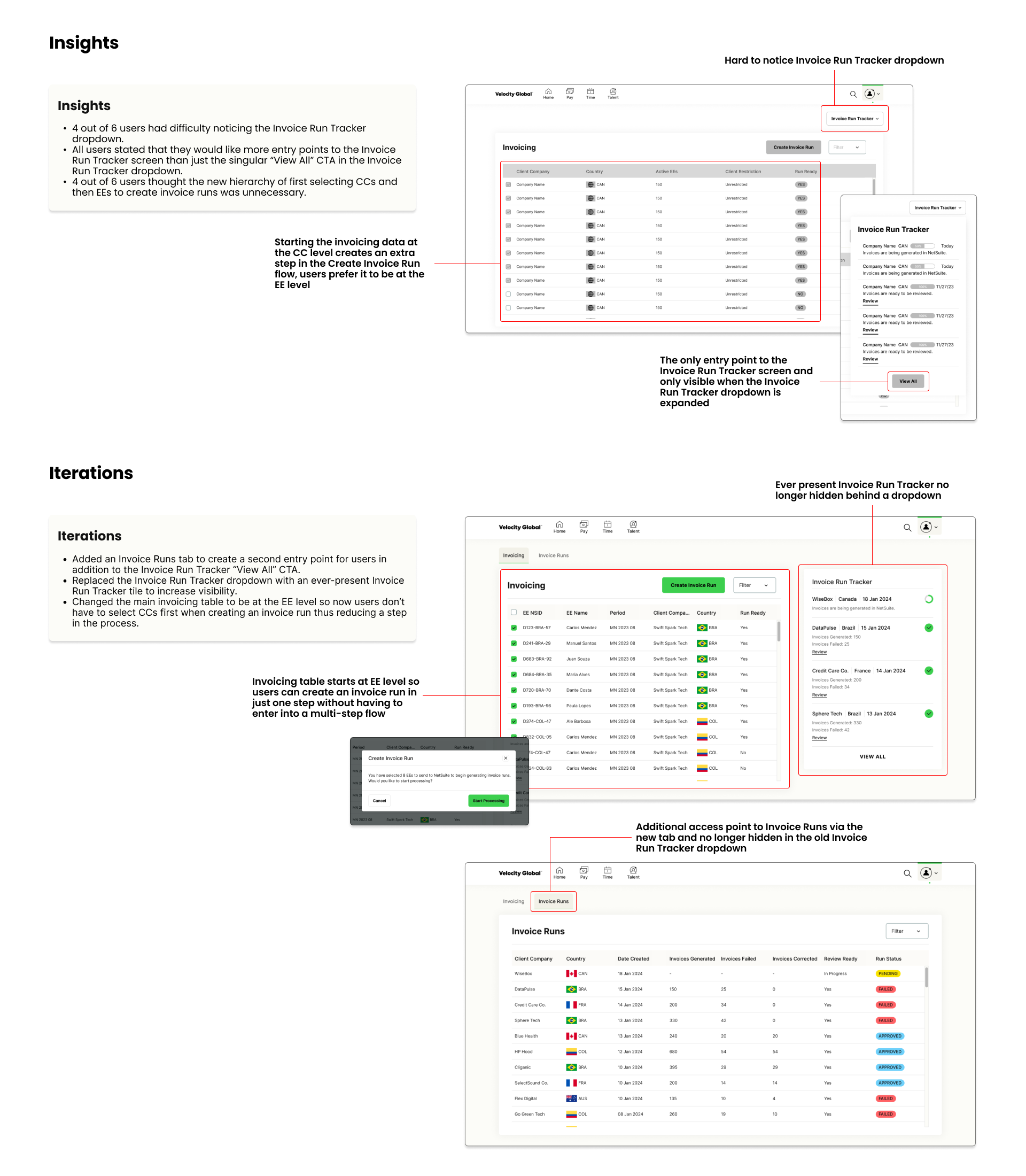
Invoice runs
Generated invoices
The final experience
The project was handed off to engineering for development, and I supported QA and engineering questions. Further invoicing work includes self-serve invoicing features and custom reports for external client customers.